 KinooCare
Calendar
Shared calendar for your child, with monthly view, filter by dependant and colours by event type.
A visual, step-by-step summary of how a care circle gets organised in KinooCare, no account needed to get the gist of it.
Step 1 of 4
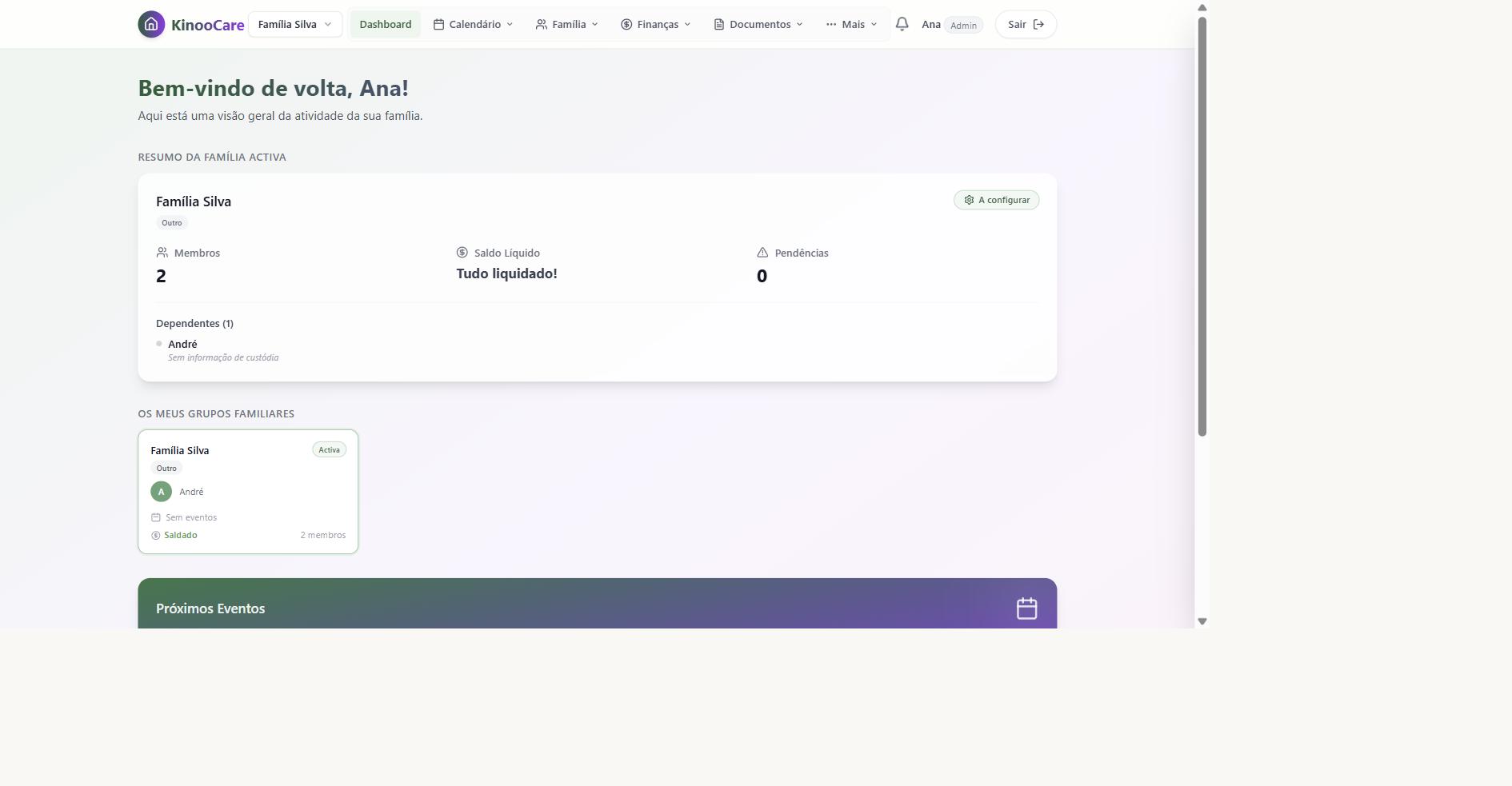
You create a circle around the person being cared for: a child, an elderly family member, or someone with special needs. It's the space where all of that person's information lives.
Step 2 of 4
You invite everyone who helps care for them: the other home, a family member, a hired caregiver. Each one gets their own account.
Step 3 of 4
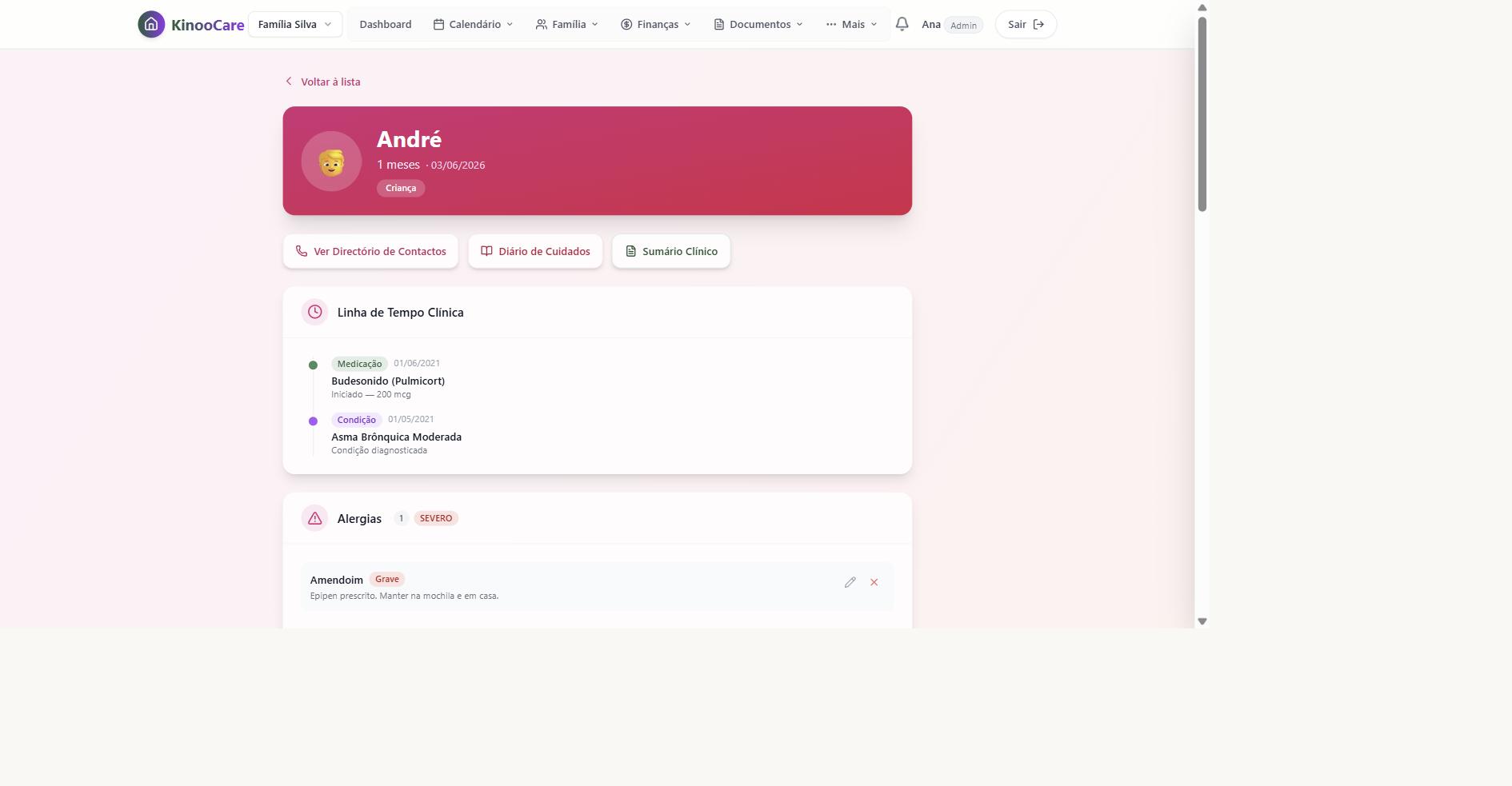
The primary caregiver and another caregiver access the same record for the person being cared for, each from their own account, always with the same information.
Step 4 of 4
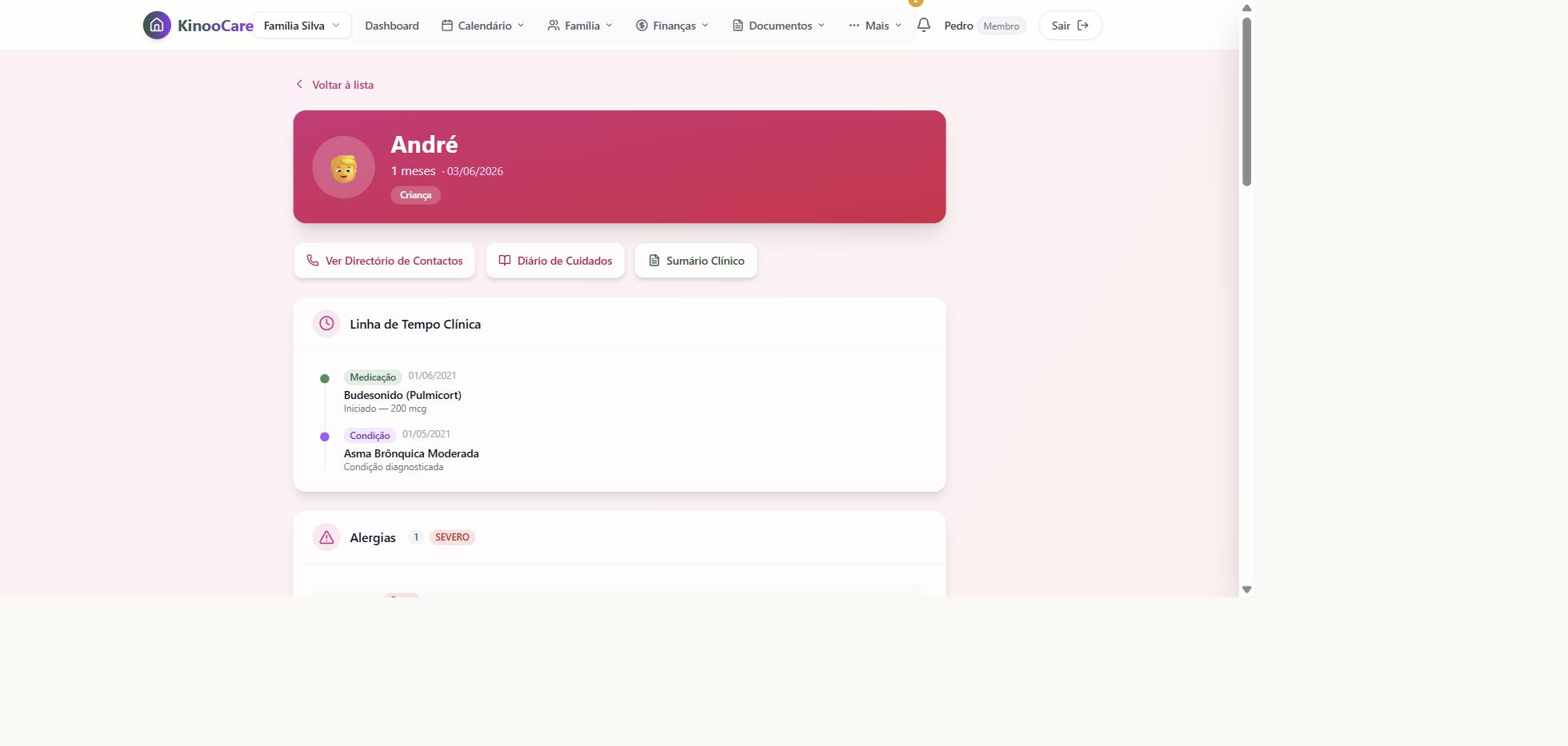
A change made by one caregiver is visible to everyone else immediately, without having to resend messages or ask who already knows what.
Shared calendar for your child, with monthly view, filter by dependant and colours by event type.
Conditions, medication and emergency contacts for your child, visible to whoever is caring in either home.
All your child's expenses in one place, with the numbers always right between both homes.
Your child's documents and agreements kept in one place, for whoever needs them, without having to ask around.
Thank you. We'll be in touch when a spot opens up.